Books by splitShops
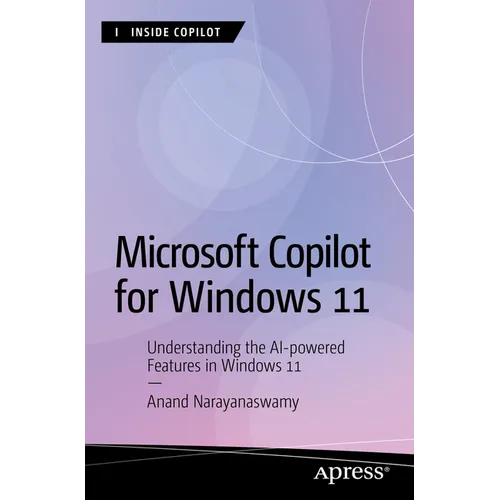
Microsoft Copilot for Windows 11: Understanding the AI-Powered Features in Windows 11 - Paperback
Microsoft Copilot for Windows 11: Understanding the AI-Powered Features in Windows 11 - Paperback
Couldn't load pickup availability
by Anand Narayanaswamy (Author)
Discover and learn how to use Copilot with Windows 11. This book will help you understand the AI-driven functionalities within Copilot and how they can elevate both your productivity and creativity.
The book begins with the evolution of Generative AI and Microsoft Copilot, including steps to work with the AI chatbot using Windows 11, Microsoft Edge, and Skype, in addition to the web. The book provides a detailed understanding of plugins, including the creation of AI songs. You will also learn the process involved with Image creation and the working of Microsoft Designer.
You will master the use of the Copilot Windows app, followed by coverage of devices with Copilot key and trending Copilot+ PCs. You also will learn about important terms associated with AI and Copilot and additional resources. After reading this book, you will be able to work with Copilot features in Windows 11 and make the most of them.
What You Will Learn
- Explore various ways to work with Copilot in Windows
- Work with GPTs and plugins in Copilot
- Understand image generation
- Use Microsoft Designer
- Use devices with Copilot key
- Use Copilot+ PCs
Who This Book Is For
Windows administrators and Copilot enthusiasts
Back Jacket
Discover and learn how to use Copilot with Windows 11. This book will help you understand the AI-driven functionalities within Copilot and how they can elevate both your productivity and creativity.
The book begins with the evolution of Generative AI and Microsoft Copilot, including steps to work with the AI chatbot using Windows 11, Microsoft Edge, and Skype, in addition to the web. The book provides a detailed understanding of plugins, including the creation of AI songs. You will also learn the process involved with Image creation and the working of Microsoft Designer.
You will master the use of the Copilot Windows app, followed by coverage of devices with Copilot key and trending Copilot+ PCs. You also will learn about important terms associated with AI and Copilot and additional resources. After reading this book, you will be able to work with Copilot features in Windows 11 and make the most of them.
What You Will Learn
- Explore various ways to work with Copilot in Windows
- Work with GPTs and plugins in Copilot
- Understand image generation
- Use Microsoft Designer
- Use devices with Copilot key
- Use Copilot+ PCs
Author Biography
Anand Narayanaswamy works as an author, reviewer, and blogger based in Thiruvananthapuram, India. He was recognized as a Microsoft MVP from 2002 to 2011, Windows Insider MVP from 2019 to 2023, and is currently a Microsoft MVP in the Windows & Devices category. Anand contributes articles to leading online and print publications, including Manorama Year Book. He runs his blog (netans.com) and actively helps the community on Quora. In his spare time, Anand loves to dig the old Gadgets such as Microsoft Zune, iPod, and iPod Classic. He can be reached via X @visualanand.
Share